We will never store or ask for your phone number, but during the checkout process, your bank or our payment provider may want to verify your identity to keep your payment details safe online and check it's you making the payment.
So if you are seeing a phone number verification when you are checking out, please read this article to understand why and what to do if you are being asked to receive a text to an old number you no longer have access to.
Bank verification
After you enter your payment details and press "Pay" or "Subscribe", your bank may require phone verification as an extra security step when making this online payment (or free trial verification). This is handled entirely by your bank, not by us or our payment provider Stripe.
If the phone number shown is old or incorrect, it means your bank has an outdated contact detail on file. You will need to update this directly with your bank, or use a different card or payment method if one is displayed.
Stripe Link
Stripe is a secure payment provider that we use to process subscription payments. It handles card payments safely, so we don’t store or manage your card details directly.
Stripe Link is a quick checkout feature from Stripe that lets you store your card with them once and use the same details without re-entering them on one of the 1.3 million websites that also use Stripe to handle payments. To use it, you would have to click here:
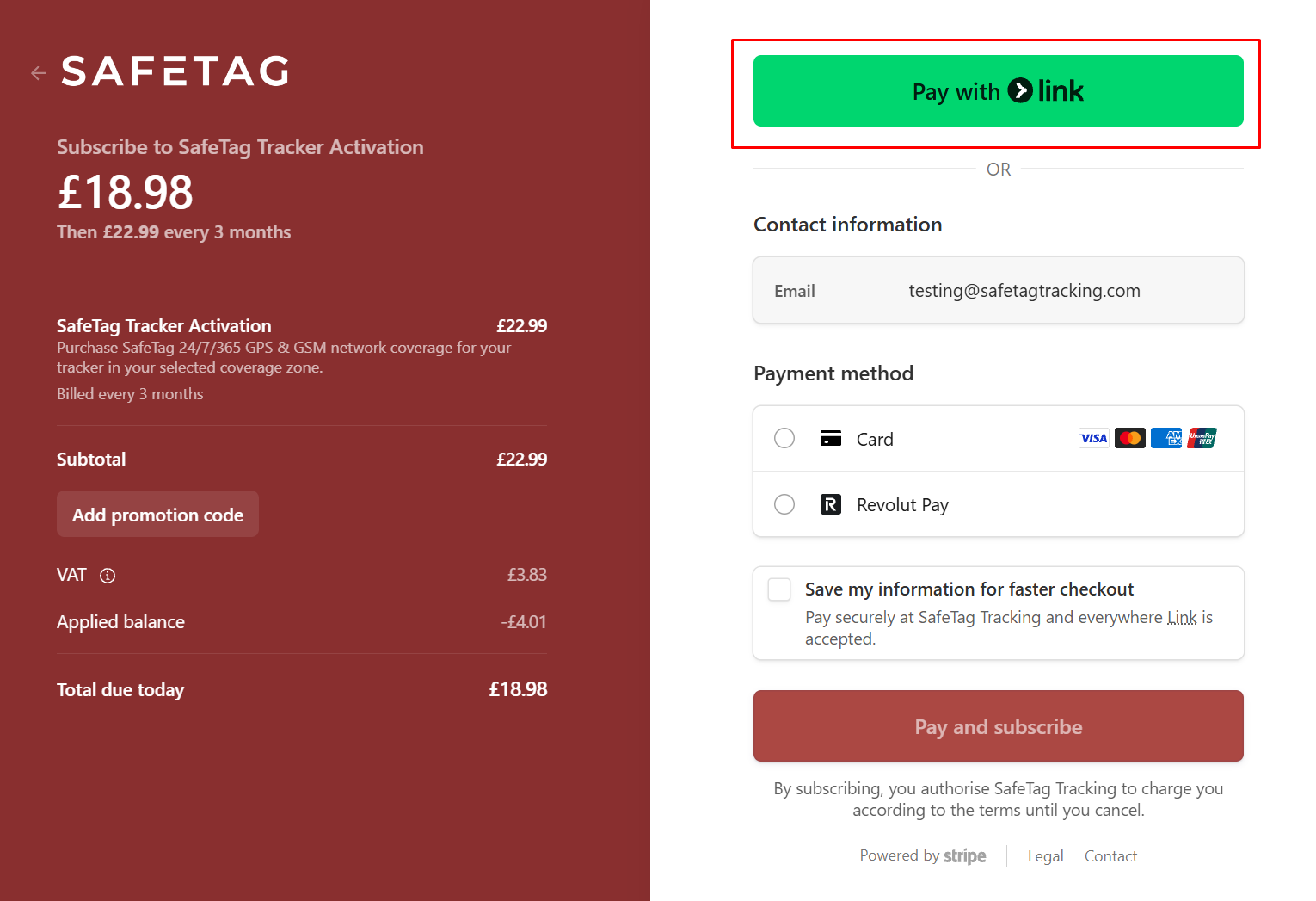
If you accidentally clicked "Link", and you don't want to use it, just close the window or popup or press "back", and you'll be able to choose a regular card payment directly with us:
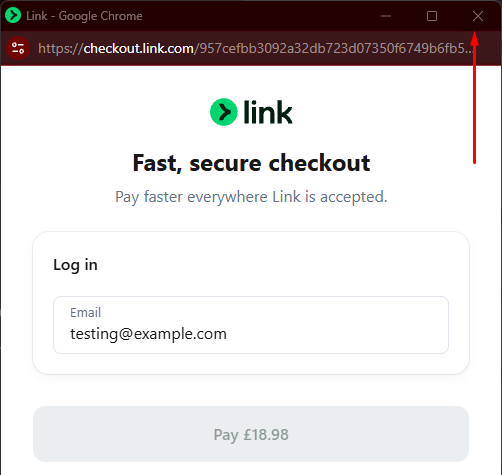
If it recognises that you used Link at some point in past on another site, you might see something like this instead, where it's trying to verify you before retrieving your payment details:
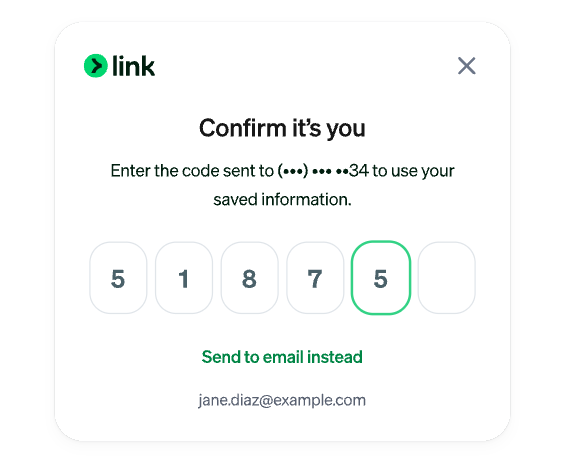
Sometimes an old phone number may show if Stripe Link is pulling details from a previously saved profile on your device or browser. We don’t store or control this information.
We just want to get you onboarded with whatever is easiest for you. So, if you don't want to use link and you clicked it accidentally, or if you can’t get past the phone verification because it's an old number, the easiest option is to skip Stripe Link and use a standard card payment instead.
To do this, press "x" or "back" on the Stripe screen and choose “Pay with card” or “Use another method”, then enter your card details manually to complete checkout.
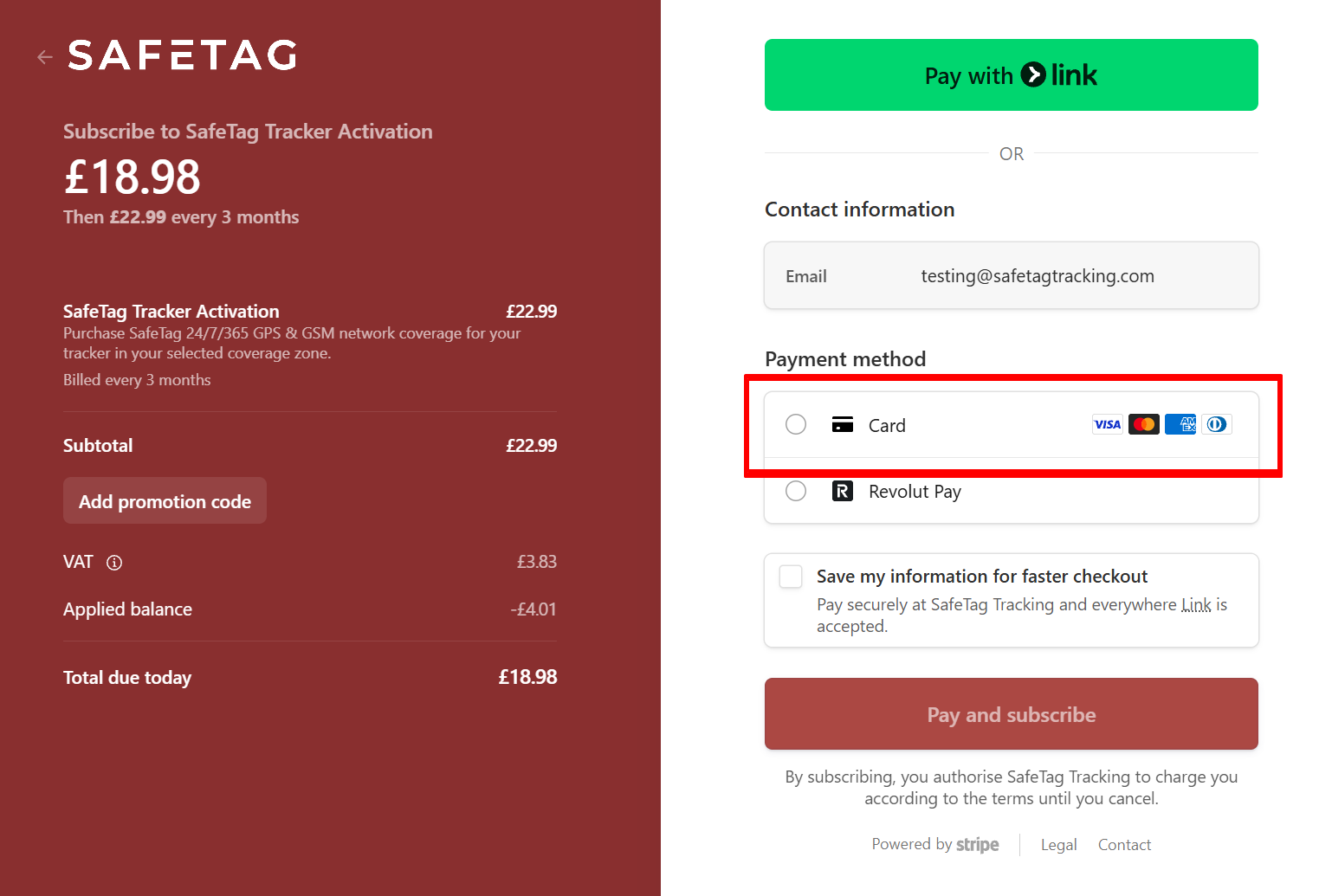
If you want to save your payment method because you're activating multiple trackers, please feel free to tick this option - this only saves your card details with us. You won't be saving your details with Stripe Link unless you choose to check out via the "Stripe Link" option.
Was this article helpful?
That’s Great!
Thank you for your feedback
Sorry! We couldn't be helpful
Thank you for your feedback
Feedback sent
We appreciate your effort and will try to fix the article